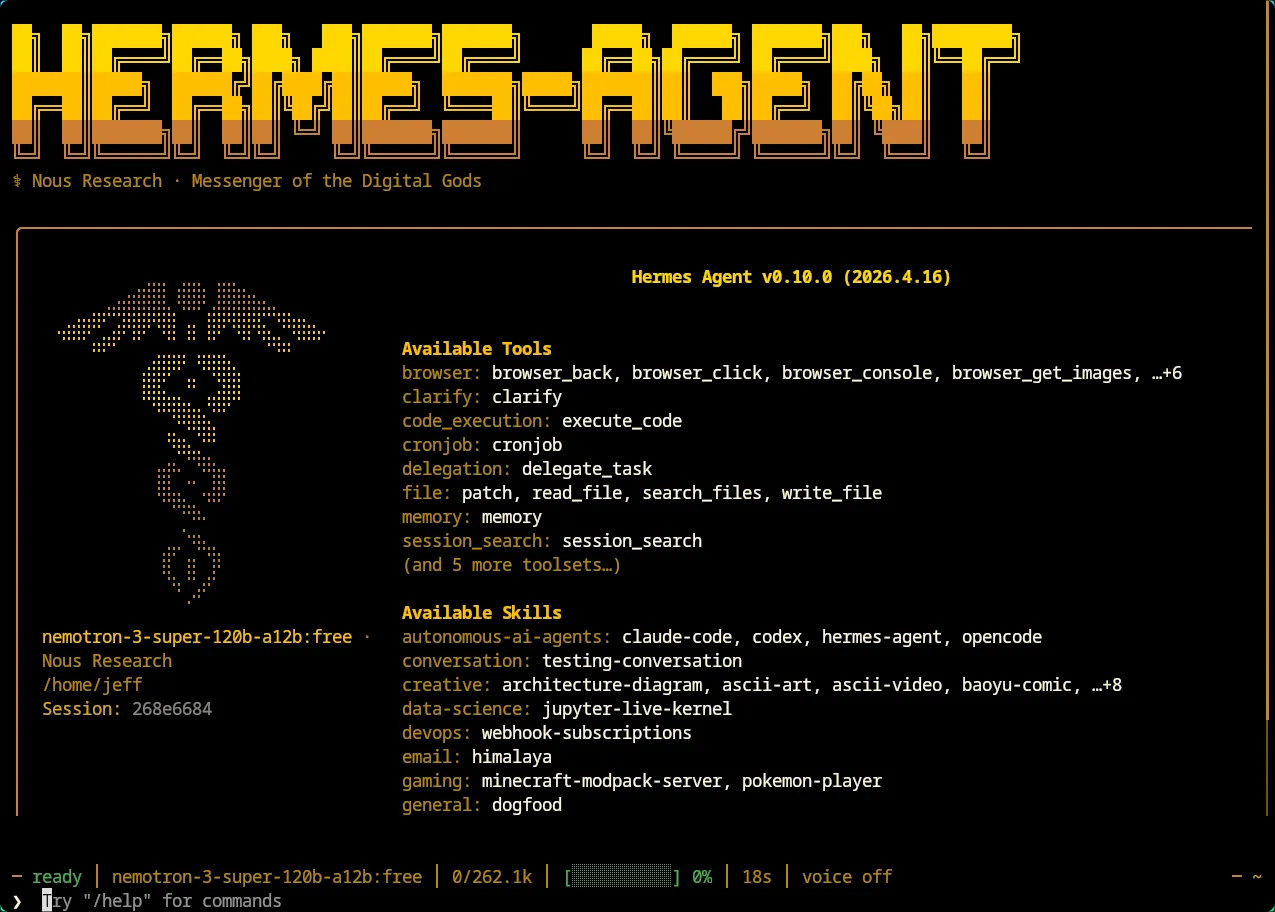
Hermes connects Nvidia Nemotron Model via OpenRouter for Free
Background
- Installed Hermes
- Wanted to test a few free models
Takeaways
- You can set OpenRouter with a primary model and fallback models
- Setup should be almost the same if you use OpenClaw 🦞
Register OpenRouter
-
Create an account and obtain
OPENROUTER_API_KEY. Run the following command, the key will be saved in~/.hermes/.env -
Create an account and get your
OPENROUTER_API_KEY. Run this command and the key will be saved in~/.hermes/.env.hermes config set OPENROUTER_API_KEY sk-or-v1-... -
OpenRouter has a lot of free models your agent can use. Some are not strong enough for production, but they are great for testing your setup. A few free ones are actually pretty capable, like Nvidia Nemotron and Google Gemma.
-
You can also pick paid models directly from providers or through OpenRouter.
-
Right now, there are no free image/video generation models on OpenRouter. Hopefully that changes later.
-
Limitation: free models may hit rate limits and get lower priority during busy times.
A quick comparison chart is attached to show differences between Nvidia Nemotron, Google Gemma, and Claude’s current flagship model, Opus 4.7.
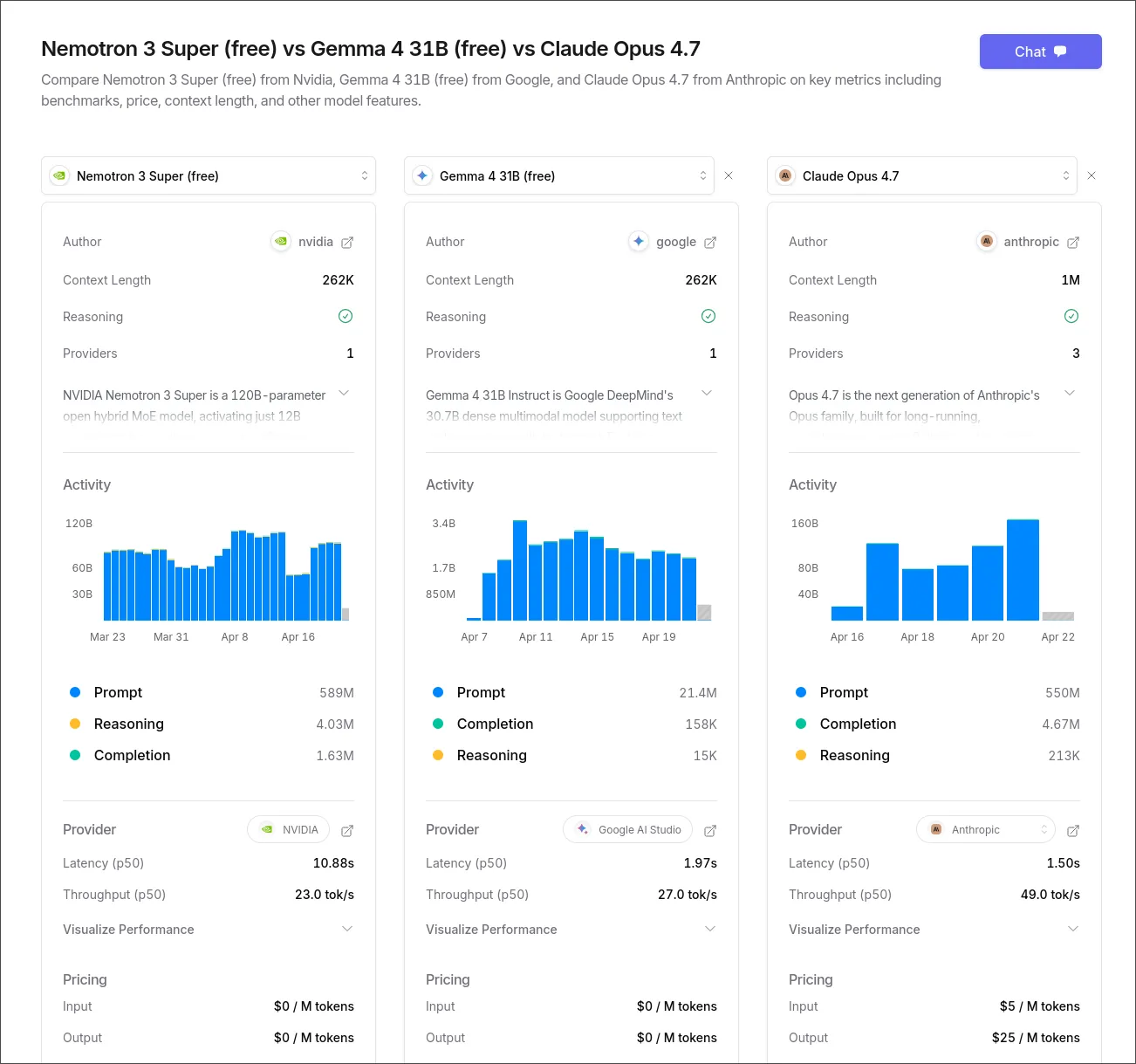
There is also a short explanation of reasoning vs completion at the end of this article.
In Hermes
Backup your current config.yaml
cp ~/.hermes/config.yaml ~/.hermes/config.yaml.backupShow current model configuration
hermes config showYou should see any other configured model similar to this You should see a configured model similar to this:
◆ Model
  Model:        {'default': 'elephant-alpha', 'provider': 'openrouter', 'base_url': 'https://openrouter.ai/api/v1', 'api_mode': 'chat_completions'}
  Max turns:    90
Set the primary model
hermes config set model.provider openrouter
hermes config set model "nvidia/nemotron-3-super-120b-a12b:free"

✓ Set model = nvidia/nemotron-3-super-120b-a12b:free in /home/jeff/.hermes/config.yaml
Configure fallback models
hermes config editThen edit it manually:
model:
  default: nvidia/nemotron-3-super-120b-a12b:free
  provider: openrouter
  base_url: https://openrouter.ai/api/v1
  api_mode: chat_completions
providers: {}
fallback_providers:
- provider: openrouter
  model: openrouter/free
- provider: openrouter
  model: openrouter/elephant-alpha
Note:
openrouter/freeprovides best available free models from OpenRouter
Restart gateway
hermes gateway restartOther free available models
You can also browse free and paid models from OpenRouter and NousResearch here:
https://openrouter.ai/models?q=free https://portal.nousresearch.com/models
Free usage limit
When using free model via OpenRouter, you may receive a warning:
API call failed after 3 retries: HTTP 429: Rate limit exceeded: free-models-per-day. Add 10 credits to unlock 1000 free model requests per dayThis message comes from OpenRouter.ai. You can add 10 credits to avoid this message without being charged.
Difference between Reasoning and Completion
The main difference is how the model gets to the answer. A completion model predicts the most likely next word from learned patterns, while a reasoning model works through steps before giving the final response.
Core Definitions
- Completion (Pattern Matching): The model predicts the next most likely word (token) from patterns in training data. It usually responds in a single pass, so it is often faster and more fluent, but less deep.
- Reasoning (Logical Deliberation): The model goes through an internal thinking phase, breaks a problem into steps, explores options, and checks itself before replying.