Red Dead Redemption 2 is my favorite game, and I’ve put several hundred hours into it over the years — enough that I already know most of the story, the people, the missions, and the events. Recently I started a fresh playthrough, and this time I decided to bring an AI agent along. Not to play for me, but to document the run: to look things up, answer in-game questions, and keep the notes while I play.
Spoiler warning: this is a personal playthrough log. Expect story, mission, and character details.
Background
- Normally I’d search the web — Google, YouTube, IGN, Fandom — for a trick or a hint. Now I search inside the agent instead — here, OpenCode.
- Then I summarize the experience into a playthrough note, just for fun.
- Most of the time I don’t need Google at all anymore. YouTube still helps occasionally: when the agent tells me where something is, a video or a map image is easier to understand than a text description, because the agent is all text.
The layout: Cursor on the left, OpenCode on the right
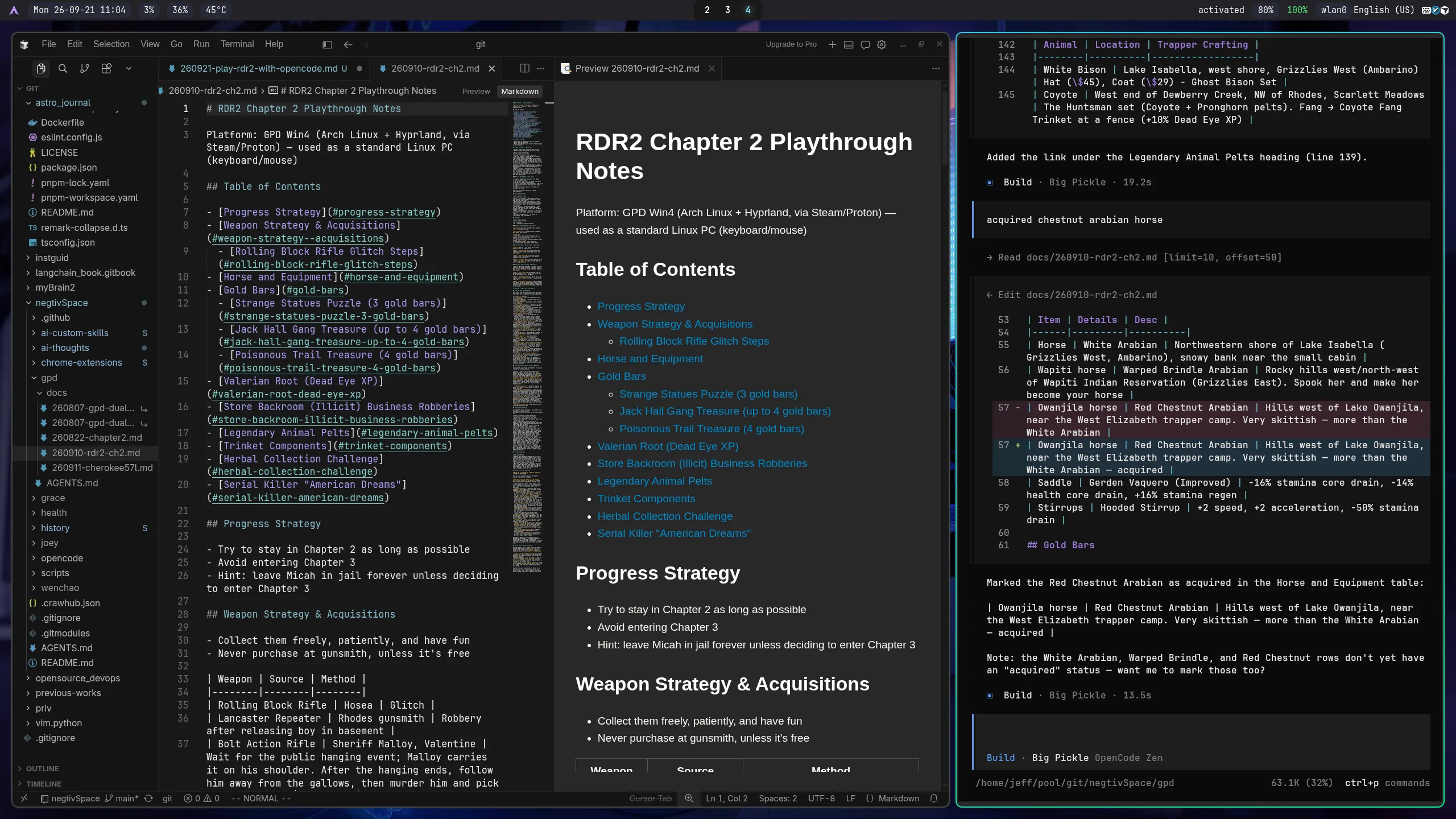
My desktop is Arch Linux. On the left is the Cursor editor — I don’t use its agent, just its Markdown rendering and viewing. On the right is my agent, OpenCode, where the questions and the notes happen.
An AGENTS.md and a custom SKILL.md
The automation is two files: a rules file (AGENTS.md) and a skill (SKILL.md). The intention is to automate documentation while playing.
The skill is rdr2-playthrough — published on ClawHub at clawhub.ai/j3ffyang/skills/rdr2-playthrough, with its source in the repository at .opencode/skills/rdr2-playthrough/. It maintains the Chapter 2 playthrough notes: logging an acquisition, answering a location or crafting question, and checking the notes for duplicate or stale information. Its rules are strict in the ways that matter — verify game facts before writing them down, propose the exact edit and wait for my approval before touching the notes, and keep one fact in one place.
The AGENTS.md is the local constitution for the notes folder (it also governs the rest of the GPD Win4 knowledge base). Its most important rule is the one that keeps this safe: nothing is committed, pushed, or published without an explicit request. Both files are deliberately boring — the point is that the workflow runs itself while I’m playing, not that the configuration is clever.
A concrete example: I say “got 3 gold bars from the Strange Statues puzzle”, and the agent proposes a one-line edit to the Gold Bars table — then waits for my go-ahead before writing it. It doesn’t guess a location or a price; if it isn’t sure, it checks first and says so.
The notes it produces are published here as a reference: RDR2 Chapter 2 Playthrough Notes.
Linux is the perfect platform
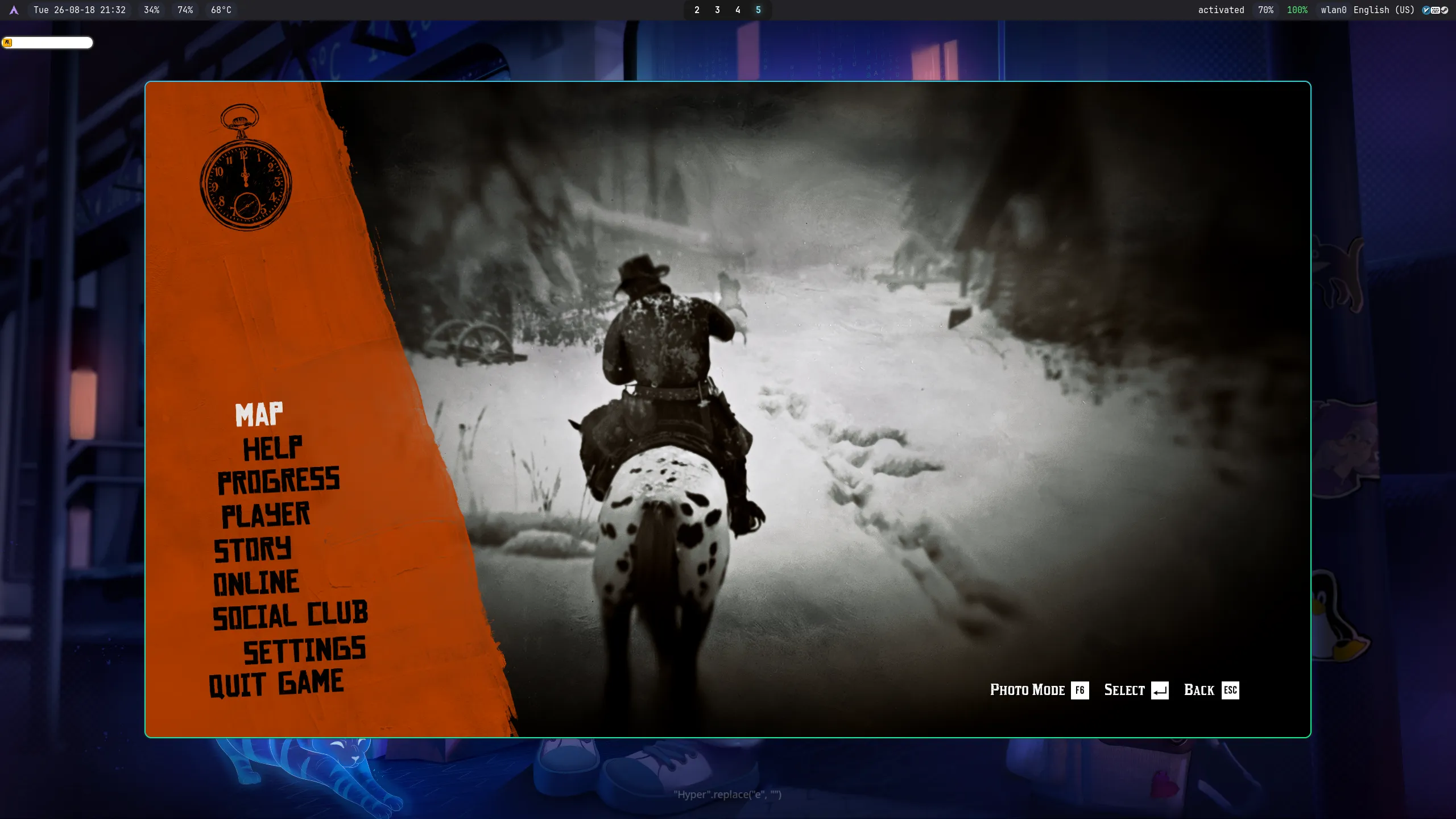
I play everything on Arch Linux, RDR2 included — here on a GPD Win4 running Arch + Hyprland, with Steam/Proton doing the heavy lifting. The screenshot shows the game running on Linux, windowed on Hyprland (that’s why the desktop is visible around it); it runs full screen just as well. Linux has become the perfect platform for my games: one machine, one desktop, and the same tools I already use for everything else.
Appendix: the RDR2 rules (AGENTS.md)
The rules file that governs the notes is the folder’s AGENTS.md. Trimmed to what is RDR2-specific, it reads:
# RDR2 playthrough notes — local rules

**Local and private.** This is a local knowledge base; nothing is committed, pushed, or published without an explicit request.

## Platform
- RDR2 runs on Arch Linux + Hyprland via Steam/Proton.
- Use the machine as a standard Linux PC (keyboard/mouse), not as a handheld.

## Notes
- Keep notes as simple as possible — one fact, one place.
- Alert about duplicated info found; never silently delete or merge.
- Escape `$` as `\$` in Markdown tables.
- Notes follow `YYMMDD-topic.md` (e.g. `260921-rdr2-ch2-playthrough.md`).

## Skill
- `rdr2-playthrough` maintains the RDR2 Chapter 2 playthrough notes (`docs/260921-rdr2-ch2-playthrough.md`); it loads automatically on log/lookup requests.
btw, i use arch