Encrypting Linux: from a hack 20+ years ago to firewalls, LUKS and Veracrypt
Arch Linux. firewalld (nftables) for the network, then LUKS-encrypted root, an unencrypted /boot, and a Veracrypt USB volume.
My experience with Linux dates from over 20 years ago. This is a personal account of how a break-in pushed me from detecting tampering to preventing it — locking the network with a firewall first, then encrypting every disk I own.
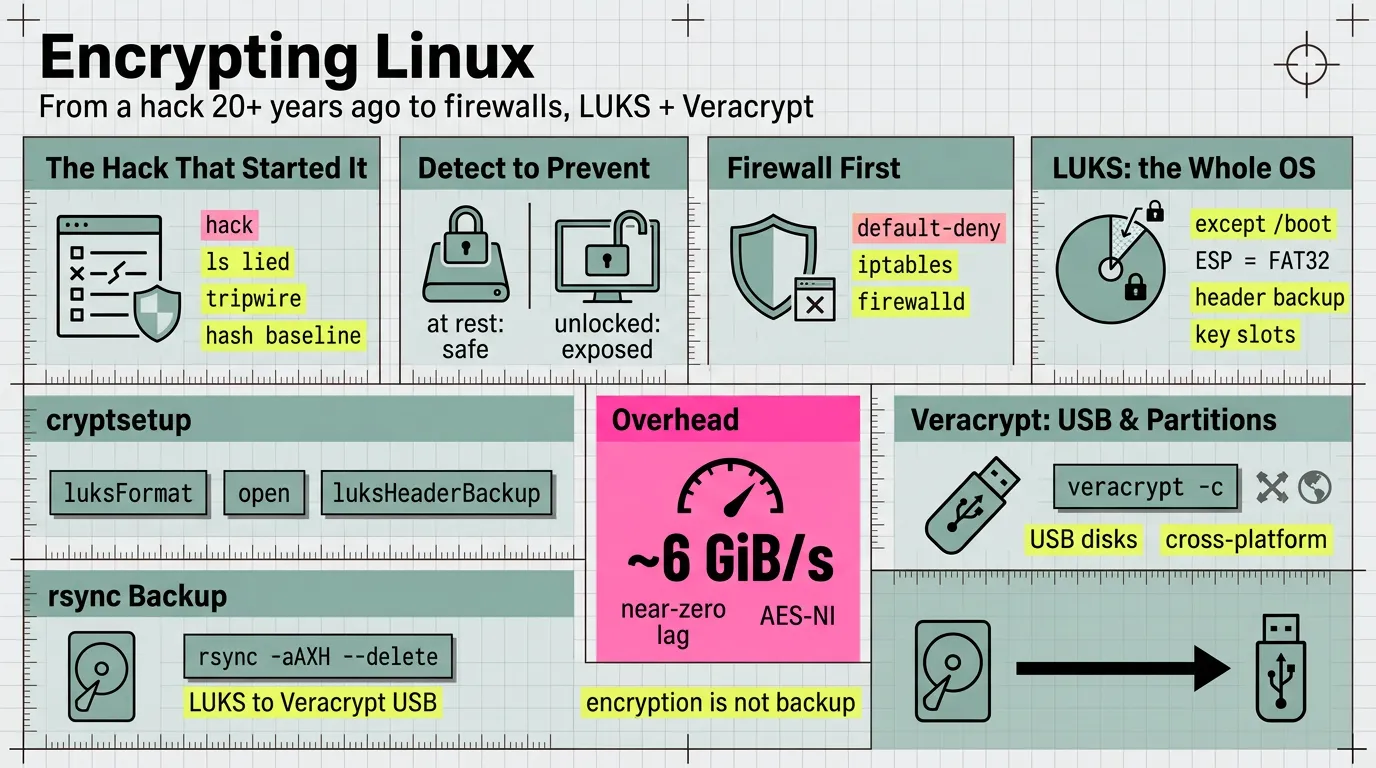
1. The hack that started it
- My account: I was installing over a modem back then and got hacked several times. The tell was
ls— the listing did not match the files I knew surely were there, so the binaries had been replaced. (This story is also told in the Linux birthday piece:260828-happy-birthday-linux-from-aix-to-arch.md.) - The response was
tripwire: it builds a database of hashes for installed binaries (e.g./bin/ls), then protects that database so an intruder cannot quietly rewrite it — the original kept a human-readable database guarded by file permissions and offline or read-only copies, while today’s Open Source Tripwire signs it with passphrase-derived site and local keys. A check compares the current binaries against the baseline; if a binary was upgraded or tampered with, it shows up, and you re-hash and update the baseline. - Context from those years: package management was weak, so installing a standalone driver sometimes meant compiling the kernel.
- Note:
tripwireis largely a historical tool today. Modern file-integrity monitoring: AIDE, or a hand-rolledsha256sumbaseline. (pacman -Qkonly checks that a package’s files are present;-Qkkadds permissions, size and mtime — neither hashes contents, so a same-size swapped/bin/lsslips through.)
2. The shift: from detection to prevention
- After that, I became quite sensitive to database privacy and security — and spent real time figuring out how data can be secured on disk, and what happens if the laptop is stolen.
- A threat model framing: what encryption does and does not defend against.
- Protects: data at rest — a powered-off or stolen disk.
- Does not protect: a running, unlocked machine; malware with the OS already open; and it is only as strong as the passphrase.
3. Firewall first: the network before the disk
- First things first: the break-in arrived over the wire — a dial-up modem, no router, no NAT, the host itself was the perimeter — so the network gets locked before the disk. Close the door before you worry about the safe.
- The lineage:
ipchains(kernel 2.2) →iptables(kernel 2.4+) →nftables(kernel 3.13+, the modern engine). On current systemsiptablesis usually thenf_tablescompatibility front-end (check withiptables --version— it typically reports(nf_tables)). - Raw
iptables, default-deny:
Caution: applyingiptables -A INPUT -i lo -j ACCEPT iptables -A INPUT -m conntrack --ctstate ESTABLISHED,RELATED -j ACCEPT iptables -A INPUT -p tcp --dport 22 -j ACCEPT iptables -P INPUT DROP # set the default last, so you don't drop your own sessionDROPover SSH cuts your own session — allowESTABLISHED,RELATEDand your SSH port first, and keep a second connection open while testing. And withoutiptables-save(ornetfilter-persistent), these rules vanish on reboot. - Pick one manager:
iptables,ufw, andfirewalldall front the same kernel netfilter — hand-editingiptableswhilefirewalldruns will just be overwritten. - I used
ufwon Debian years ago, then switched tofirewalldas the more standard, universal choice across Linux distros — zones and named services instead of raw chains:
A rule added withoutsudo firewall-cmd --permanent --add-service=ssh sudo firewall-cmd --reload firewall-cmd --list-all--permanentis runtime-only;--reloadapplies what--permanentwrote. - The boundary: a firewall guards the running, networked machine — it does nothing for a powered-off, stolen disk. That is why encryption comes next.
4. LUKS: encrypting the operating system
- My rule: LUKS encrypts the entire operating system except
/boot, which must be readable before any passphrase is entered. - Timing: LUKS is enabled during OS installation — you set up the encrypted partition before the root filesystem is created. It is not meant to be retrofitted onto a live root disk, short of a reinstall or a risky in-place re-encryption.
- In a typical setup,
/bootis the EFI system partition (vfat), the LUKS partition (crypto_LUKS) can hold the root filesystem directly (no LVM needed), and/etc/crypttabrecords the volumes to unlock at boot. - Why
/bootstays cleartext: firmware and the bootloader must read it before the disk can be unlocked; the UEFI ESP is FAT32 by specification. (To be precise: “/bootmust be fat32” really describes the ESP — a separate/bootcan be ext4 in non-UEFI setups.) - The
cryptsetupcommands involved:luksFormat,luksOpen,luksAddKey/luksChangeKey,luksDump,luksHeaderBackup, and/etc/crypttabfor unlocking at boot. - In practice, at install time and for the header backup:
Caution:cryptsetup luksFormat <partition> cryptsetup open <partition> root # unlock, then mkfs + mount cryptsetup luksHeaderBackup <partition> --header-backup-file luks-header.imgluksFormatdestroys the target partition — confirm the device before running it. - The gotcha that matters most: back up the LUKS header — lose it and the data is unrecoverable. Multiple key slots allow more than one passphrase.
- Performance: with hardware AES (AES-NI, or ARMv8 crypto extensions) the overhead is small.
cryptsetup benchmarktypically putsaes-xts512b at several GiB/s — faster than a typical NVMe’s throughput, so the disk, not the crypto, is the bottleneck. Expect near-zero lag on sequential I/O and low single-digit percentages on random 4K; without AES acceleration the cost jumps to 2–3× or more. - TRIM/discard: an SSD supports discard, but leaving the
discardoption off/etc/crypttaband enablingfstrim.timergives periodic batch TRIM rather than continuous discard — it keeps the drive healthy without leaking which blocks are in use in real time.
5. Veracrypt: encrypted partitions and USB disks
- My rule: Veracrypt (derived from TrueCrypt) encrypts a partition, and is used to encrypt all of my USB disks.
- Timing: unlike LUKS, Veracrypt can be applied later, at any time — create a volume on a disk, partition, or container file whenever you need it, with no reinstall.
- A Veracrypt volume mounts like any other block device — for example at
/mnt/usb. - Why Veracrypt for removable media rather than LUKS: cross-platform containers (Linux/Windows/macOS), and support for hidden volumes.
- Creating a volume is interactive:
veracrypt -cwalks through volume type (partition vs container file), size, and algorithm. Caution:veracrypt -coverwrites the target — verify the device or path before starting. - The division of labor: LUKS for the fixed system disk; Veracrypt for portable media you carry between machines.
6. What happens if the laptop is stolen
- At rest, a LUKS disk is useless without the passphrase — that is the whole point, and the reason for pre-boot authentication.
- But the unencrypted
/bootstill reveals the kernel/initramfs and can be tampered with (evil-maid); a suspended (not shut-down) machine is open to cold-boot/RAM attacks. Those are the honest boundaries. - What I don’t lose sleep over:
/bootis public by design, and withzramswap (in RAM) nothing sensitive spills to disk — the data that matters all lives under/, inside LUKS. Closing the evil-maid path properly means Secure Boot plus a TPM; I accept that residual risk. - Encryption is not backup: a failed disk or a lost header means total loss. The only protection is an encrypted copy elsewhere.
7. Daily backup: rsync from the LUKS disk to the Veracrypt USB
- The routine: mount the Veracrypt volume, then mirror the LUKS-encrypted home onto it with
rsync. Both ends are local block devices decrypted in the kernel, so nothing is handed to a third party — LUKS protects the source at rest, Veracrypt protects the copy at rest. - With the Veracrypt volume mounted (e.g. at
/mnt/usb), the daily command is:rsync -aAXH --delete --info=progress2 \ --exclude='.cache/' \ --exclude='.local/share/Trash/' \ $HOME/ /mnt/usb/backup/ - Flag notes:
-aarchive (which already implies-r/--recursive— recursion is essential for any directory, so a practical rsync should always have it covered);-A/-Xpreserve ACLs and extended attributes;-Hhard links;--deletemirrors deletions (so the copy stays a true mirror);--info=progress2shows overall progress. The trailing slash on the source means “contents of”. - First run: add
-n/--dry-runto preview exactly what would change, then drop it. - To make it truly daily, schedule it (systemd timer or cron) and guard on the USB being present and mounted.
8. Habits
- Security became a default, not a rescue:
firewalldon the network (theipchains→iptables→nftablesengines),luks+veracrypton every disk, and no remote session withoutopenssh. - The through-line from back then: security as a habit, not a one-time fix (see
260828-happy-birthday-linux-from-aix-to-arch.mdand260706-brave-post.md).
Open questions
- LUKS1 or LUKS2? Detached header, or attached?
- Where is the LUKS header backup actually stored, and how is it tested?
- Which integrity tool (if any) replaced
tripwire? - Is the daily rsync run by hand, or scheduled (systemd timer / cron)?
- Is the firewall default-deny, and in which zone? (the live rules need root to list.)
Verification commands
lsblk -o NAME,FSTYPE,MOUNTPOINT
findmnt -no FSTYPE /
findmnt -no FSTYPE /boot
command -v cryptsetup veracrypt
# firewall
iptables --version; nft --version
command -v firewall-cmd nft
# requires root; inspect key slots and header info
sudo cryptsetup luksDump <luks-device>
Glossary
- LUKS — Linux Unified Key Setup; the standard on-disk format for Linux disk encryption, a front-end over dm-crypt.
- dm-crypt — the kernel device-mapper target that performs the actual disk encryption.
- AES-NI — CPU instructions that accelerate AES encryption; without them LUKS throughput drops sharply.
- Veracrypt — open-source, cross-platform volume encryption, forked from TrueCrypt.
- tripwire — a file-integrity monitor; records baseline hashes, protected by a signed database (early versions kept a human-readable one guarded by file permissions).
- ESP — EFI System Partition; the FAT32 partition holding the bootloader on UEFI systems.
- initramfs — the early-boot filesystem image that unlocks the encrypted root before the real root is mounted.
- threat model — the explicit statement of what you are defending against, and what you are not.
- evil-maid — an attacker with brief physical access tampering with the boot path.
- firewall — the rules that decide which network packets may reach the running machine; the host’s own line of defense.
- ipchains / iptables / nftables — the Linux packet-filter lineage;
nftablesis the modern in-kernel engine, whileiptablesis the legacy interface (today usually anf_tablescompatibility layer). - ufw — Uncomplicated Firewall; Debian/Ubuntu’s plain-language front-end over the same netfilter rules.
- firewalld — a cross-distro firewall daemon; organizes rules into zones and named services instead of raw chains.
- TRIM / discard — SSD maintenance that also reveals which blocks are in use.
Sources
cryptsetupdocumentation and man pages (luksFormat,luksHeaderBackup,luksDump).- Veracrypt documentation (volume types, hidden volumes, cross-platform support).
- Open Source Tripwire upstream README — for the signed-database behavior:
Tripwire/tripwire-open-source. firewallddocumentation (zones, services), the Arch Wiki pages onnftablesandiptables, and theufwman page.- Cross-links:
260828-happy-birthday-linux-from-aix-to-arch.md,260706-brave-post.md.
btw, i use arch